
As part of the Aspirations programme, it is very important that Tutors complete evaluations for all of their students in Aspire following completion of the student quizzes and plans, as they help validate students' own answers, and let SLT know if you need more help to support any individuals.
Some schools have also found it useful to do these ahead of initial student assessments, in order to establish a baseline.
Each evaluation contains 4 multiple choice questions, which cover:
- How well the student is engaging with their own development
- Whether the student's aspirations are appropriate and realistic
- Self-development: understanding of how to move towards their goals
- Whether they have access to the right support and opportunities
To record a new evaluation:
1. Go to the Students tab
2. Find the student you want to complete an evaluation for, and click "Actions", then select "My evaluation"
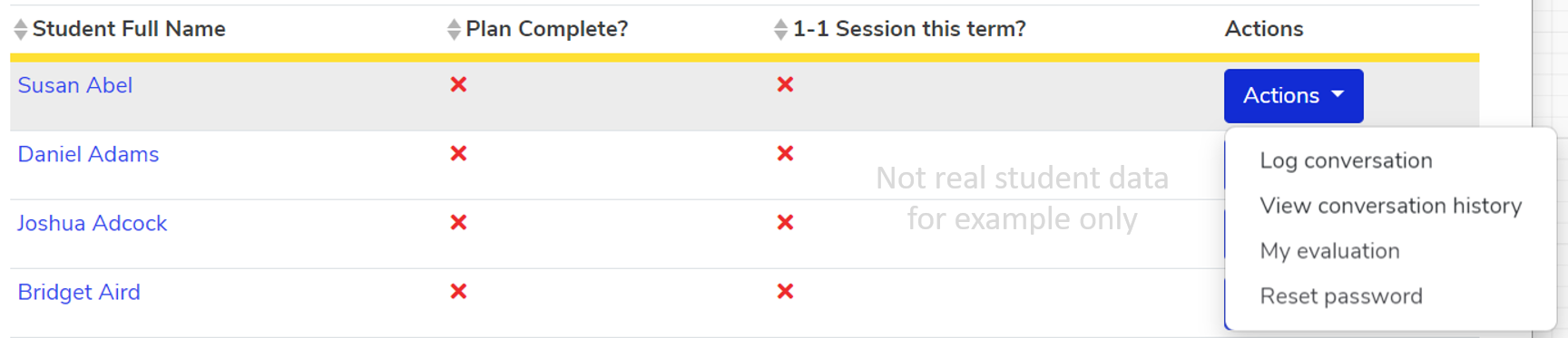
3. Answer the 4 questions
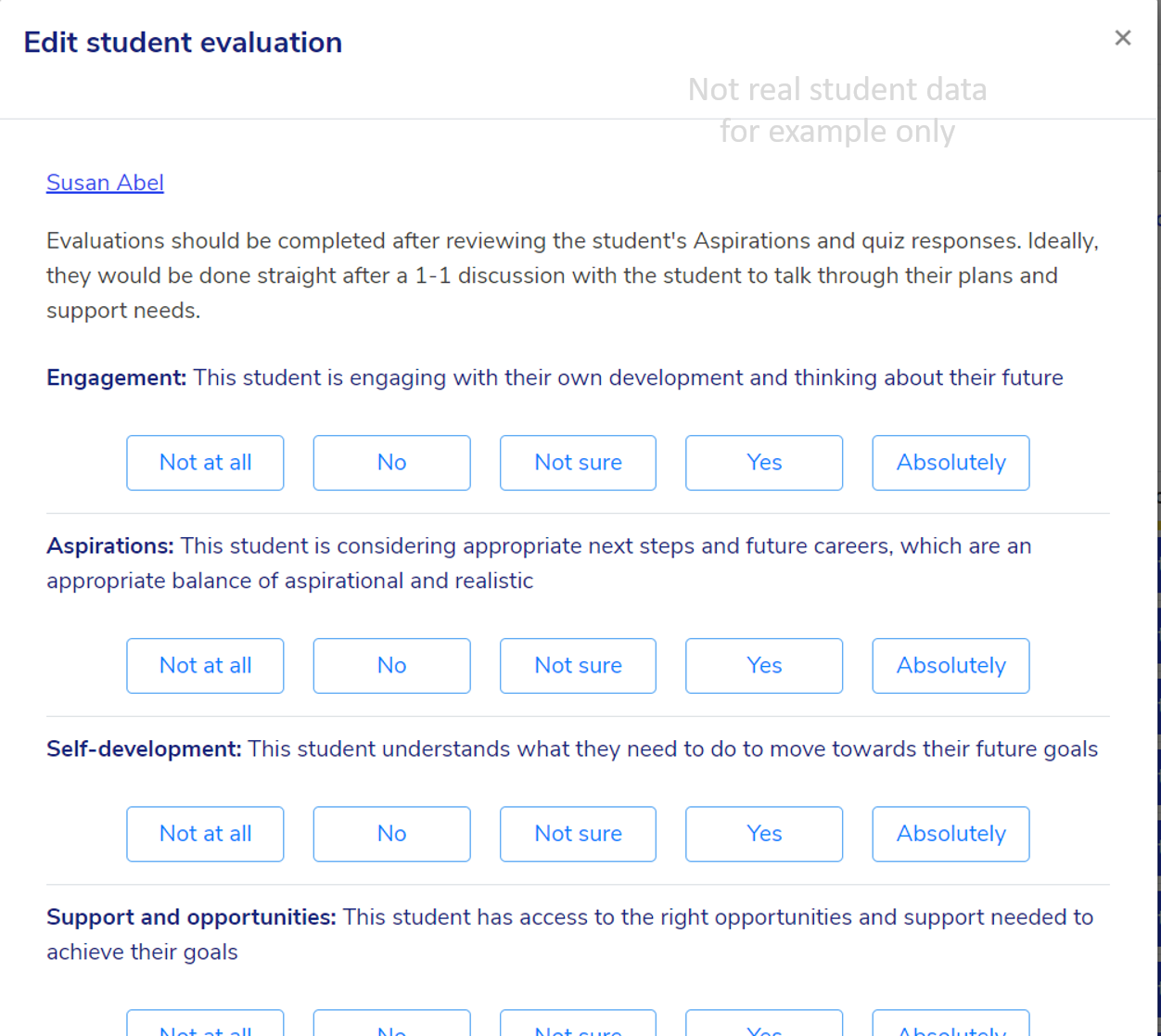
4. Click "Save Changes"

NB! You may also find it useful to update evaluations following 1-1s. Not sure how to log a 1-1 in Aspire? Look no further.
We hope you've found this guide useful. If you have any issues with using Aspire, please don't hesitate to contact our support team.
Comments
0 comments
Please sign in to leave a comment.