
The Students tab enables you to quickly access individual profiles for all students you have been granted "Tutor" permissions.
The Students tab is available to anyone assigned as a tutor for a group of students. The Menu only has one page listed: "My Students".
Follow the links for more information on Student Profiles and 1-1 Conversations.
The "My Students" page is comprised of one section: "Students List". This shows a list of all of your students, as shown below. The search bar can be used to search for a specific student. Clicking on a student's name will take you to that's student's profile.
NB - only students for whom you are listed as a tutor in Aspire will be shown. If you think you should be able to access data for more students, please contact your Aspirations Lead.
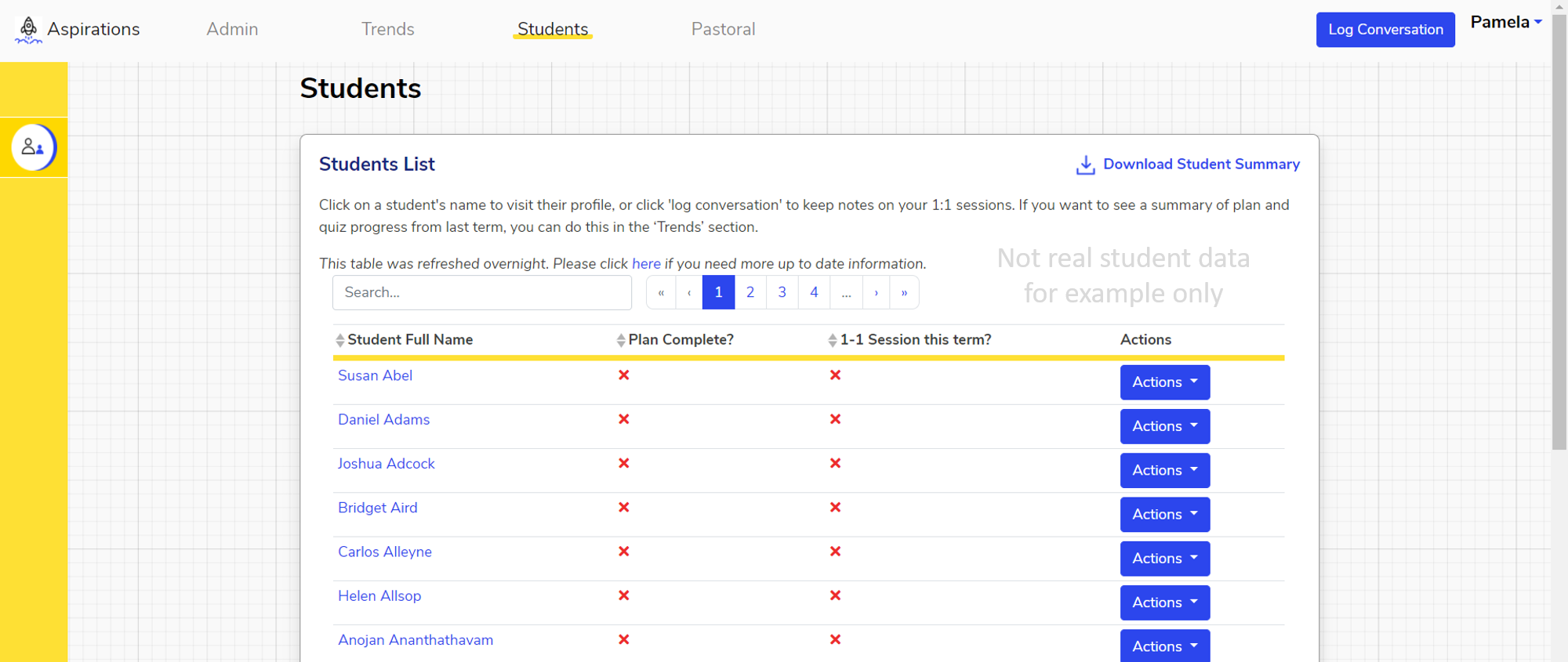
Hovering over a student's name on this page will show that student's email address.
Clicking "Download Student Summary" in the top right of the "Students list" section downloads an Excel file showing:
- Name
- Key Stage
- Year
- Form
- Whether or not they've completed each quiz for the selected term
- How many objectives they have set for the selected term
- How many activities they have in their plan for the selected term
- Any wellbeing alerts from the selected term
- Whether they have a completed plan for the selected term
- Whether an evaluation has been completed for the selected term
- Whether they have received a 1-1 during the selected term
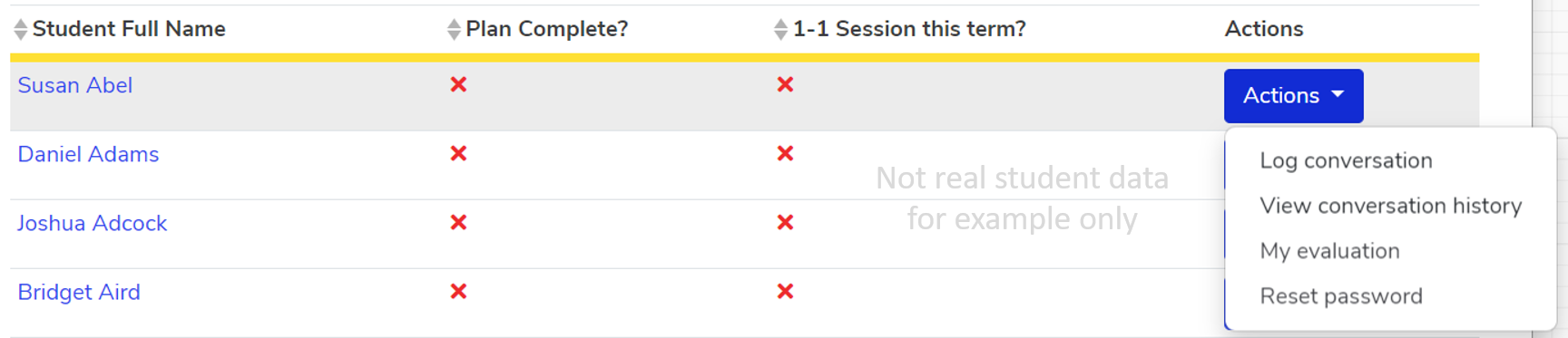
Hovering over the "Actions" button to the right of a student's name (shown below) gives you the options to:
We hope you've found this guide useful. If you have any issues with using Aspire, please don't hesitate to contact our support team.
Comments
0 comments
Please sign in to leave a comment.