
This article is about viewing 1-1 progress in your Tutor group and logging termly 1-1s. For guidance on logging conversations with students outside of your tutor groups, see "Logging Conversations"
Termly 1-1s are a crucial part of the Aspirations programme, as they give you the opportunity to check in with your students and ascertain what additional support they might require.
You can view 1-1 progress and see which students haven't yet had a session in the Trends tab.
To log a termly 1-1 with one of your students, log a conversation and make sure you click 'yes' to the question 'was this their termly 1-1 development chat'.
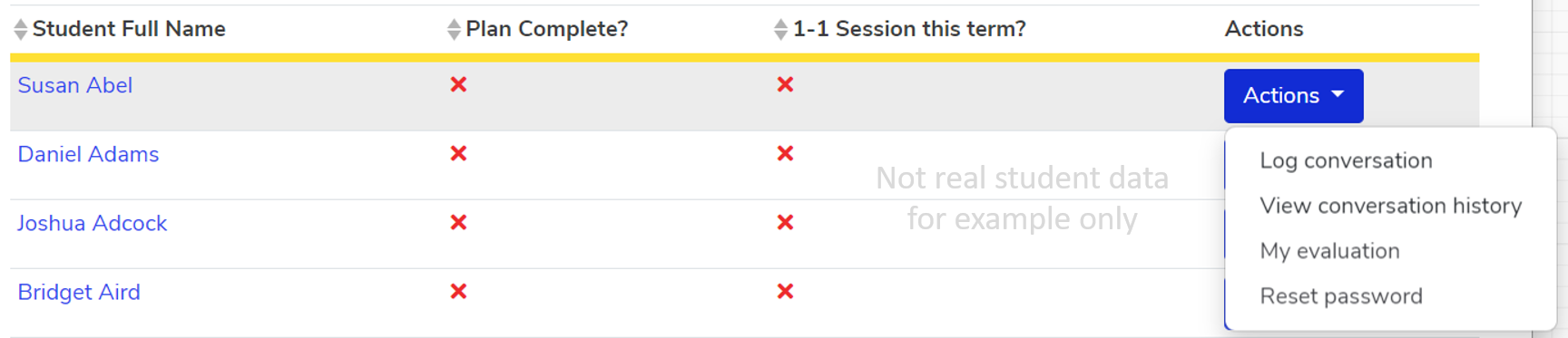
To view a student's conversation history, go to the Students tab and find the student whose conversation history you want to view, then click "Actions" and select "View conversation history" from the drop-down menu.
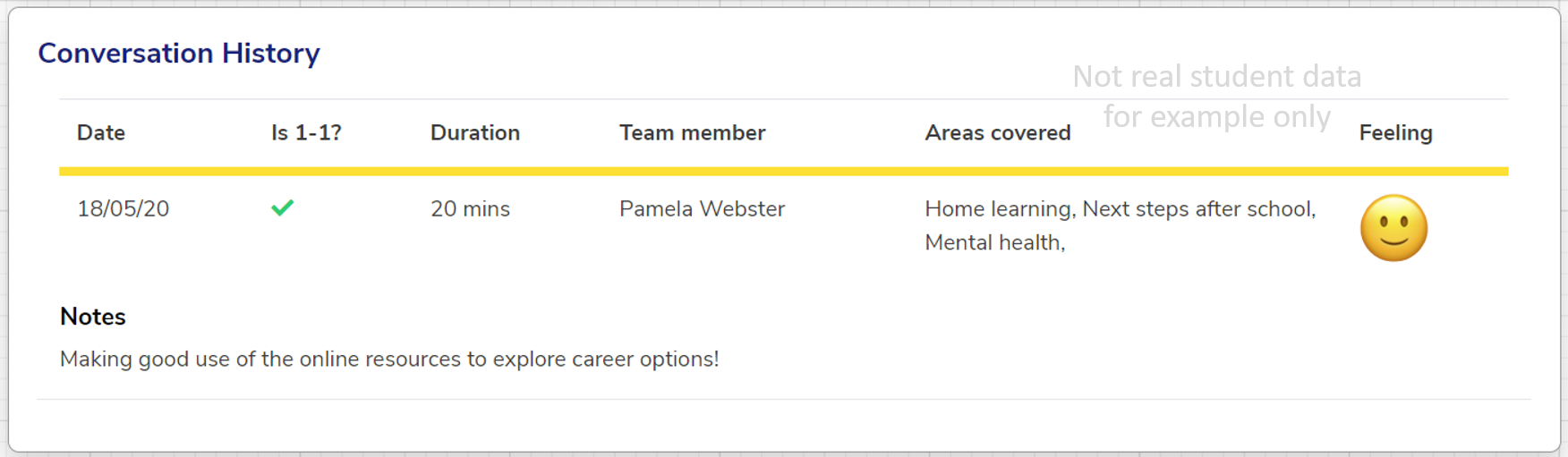
If they have any conversations logged, they will appear as shown below:
For general guidance on getting the most out of your termly 1-1s, click here.
We hope you've found this guide useful. If you have any issues with using Aspire, please don't hesitate to contact our support team.
Comments
0 comments
Please sign in to leave a comment.