
You can access your students' profiles in a few ways:
- By clicking on their name anywhere you see it in blue and underlined
- Via the Students Tab.
NB - You can only view profiles of students for whom you are a tutor in Aspire.
At the very top-right of the page is an "Actions" button. Clicking this will give the following options:
The top of the page, shown below, contains some key information about the student.
The middle of the page shows the My Plan section. This will only show if the student in question has completed their plan for the term.
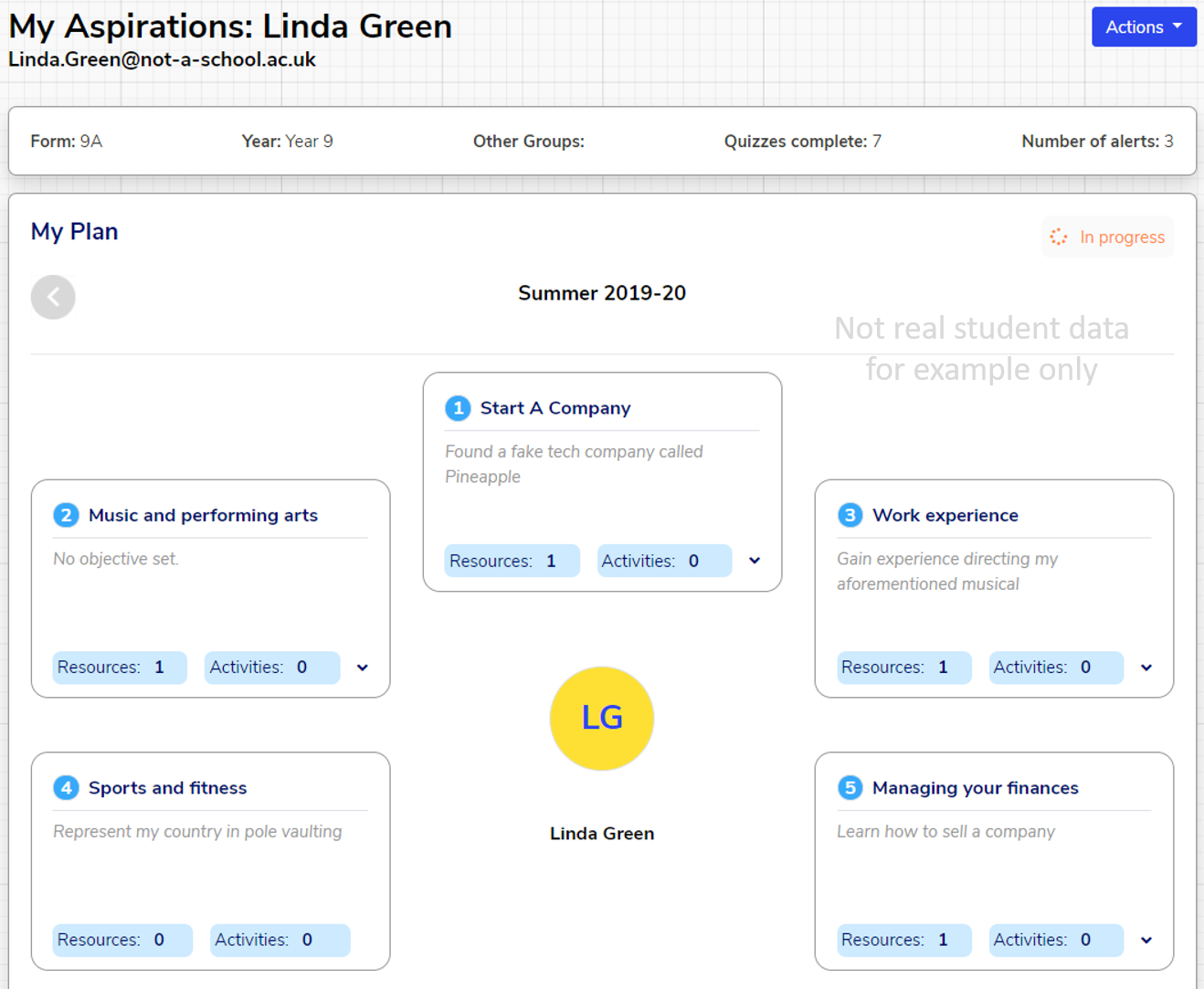
At the top of the My Plan section is an indicator of whether or not that student has a completed plan for the selected term, and an arrow to the left which can be used to look at the previous term. The screenshot above shows a student whose plan is "in progress".
Scrolling down shows an overview of the student's plan: their focus areas and the objectives they have set themselves in order to progress towards those focus areas.
Any Resources or Activities which the student has made use of which are related to their focus areas will be shown under that focus area. You can click on these to see what they are.
For previous terms, the bottom of the My Plan section contains a "Show review details" button.

Clicking this button shows the student's self-evaluation for that term, if they have completed it:

Note that, of course, this can only be completed for past terms!
Scrolling to the bottom of the page shows a summary of that student's quizzes, by completion stage. You can click on Not started, In progress, and Finished to show or hide quizzes at each stage.

You can click on "Review answers" for most quizzes to view the student's specific responses to each question in that quiz, as shown below for "My future".
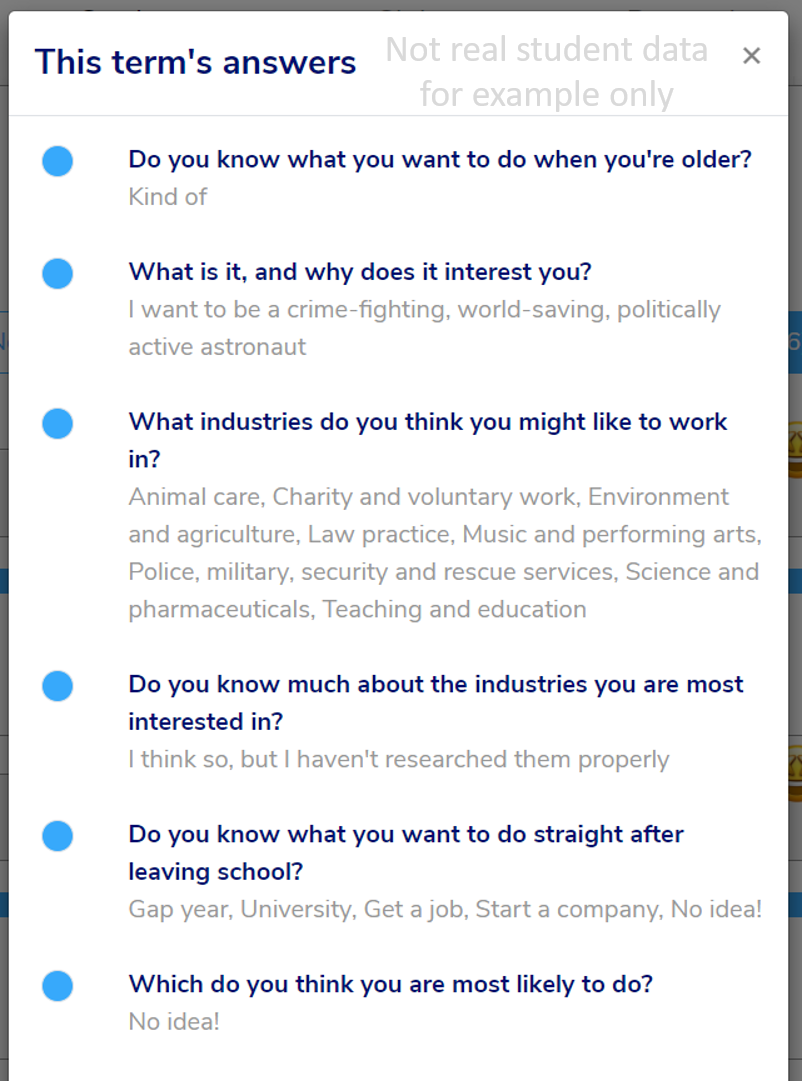
NB - you will only be able to see answers to the "My Feeling" and "My Wellbeing" quizzes if your organisation's Pastoral Lead (usually your Designated Safeguarding Lead) has given you permission to view sensitive data.
We hope you've found this guide useful. If you have any issues with using Aspire, please don't hesitate to contact our support team.
Comments
0 comments
Please sign in to leave a comment.